Most remote support still starts the same way: a ticket comes in, a technician finds the computer, opens a session, pokes around, and types up what happened. Accred Connect changes who does the legwork. Hand your AI assistant the ticket, and through Connect it finds the person's PC, runs the diagnostics, applies a reviewed fix, checks that it worked, and writes up what it did.
Headless PC support, in four moves
On computers approved for unattended help, no one needs to be at the keyboard. The assistant works in four steps:
- Diagnose. Event logs, crashes, BitLocker, Defender, Intune, Office and the network, read from the PC itself.
- Triage. Every command is risk-classified first. The assistant picks the right check and says what it found.
- Fix. Reviewed fix scripts, or PowerShell when needed. High-risk jobs wait for a technician to approve.
- Verify and report. It runs the checks again to prove the fix held, then writes it up. Every step lands in the audit log.
What it looks like on a real ticket
Here is the example session from the Connect page, run with sample data. Dana reports that Outlook keeps crashing on their laptop.
- The assistant finds Dana's laptop: Windows 11, online.
- It asks Dana to allow the session, and Dana approves.
- Diagnostics show Outlook has been crashing since the morning.
- The fix, a Microsoft 365 Apps quick repair, is marked high risk, so it waits. Sam, a technician, approves it.
- The repair runs and completes. The assistant checks Outlook again: no new crashes.
- It writes the ticket notes and tells Dana, in plain words, that Outlook is working again.
Every request, approval and result in that session is kept in Connect's append-only audit log.
Four yeses before anything runs
An AI that can change a computer needs firm limits. Connect requires a yes from four sides, and a no on any side wins:
- Your organization. An Owner or Admin turns AI assist on in Settings. It is off by default and can be paused at once.
- A technician. The assistant works for a signed-in Owner or Admin. High-risk fixes wait for a technician to approve; the assistant cannot approve.
- The person at the PC. A prompt names the technician and the reason, and Deny is the default. Unattended help is only for computers approved for it.
- The computer. A local administrator can turn assist off on the PC. While it works, the session bar shows the assistant, with Stop.
On top of that sit a built-in deny list, redacted output and the append-only audit log. When a fix did not help, many can be put back in one step.
IT help where people already ask
People do not need a portal. Someone mentions Accred IT help in a Teams channel, or posts in a linked Slack channel, in their own words. It finds their computer from the device owner links in Connect, asks a quick follow-up when the request is vague, runs safe checks, and answers in plain words. Your technician gets the technical notes, a Consult ticket and an alert, and the fixes you choose wait for their OK.
Technicians can also work together: several can join one computer, see who is connected and since when, pass control back and forth, and let Owners and Admins end a session.
Works with the AI assistant you already use
Connect is part of Accred's MCP server, one server for the whole Accred suite on the open Model Context Protocol. It works with Claude today, and with other AI assistants that support remote MCP connectors with OAuth sign-in. The assistant can do what your account can do, and nothing more.
What Connect does today
We would rather be plain about this. Today Connect gives you:
- Enrollment installers that enroll computers into one client and location, and can be revoked. The Windows installer is not yet code-signed, so Windows shows an unknown-publisher warning.
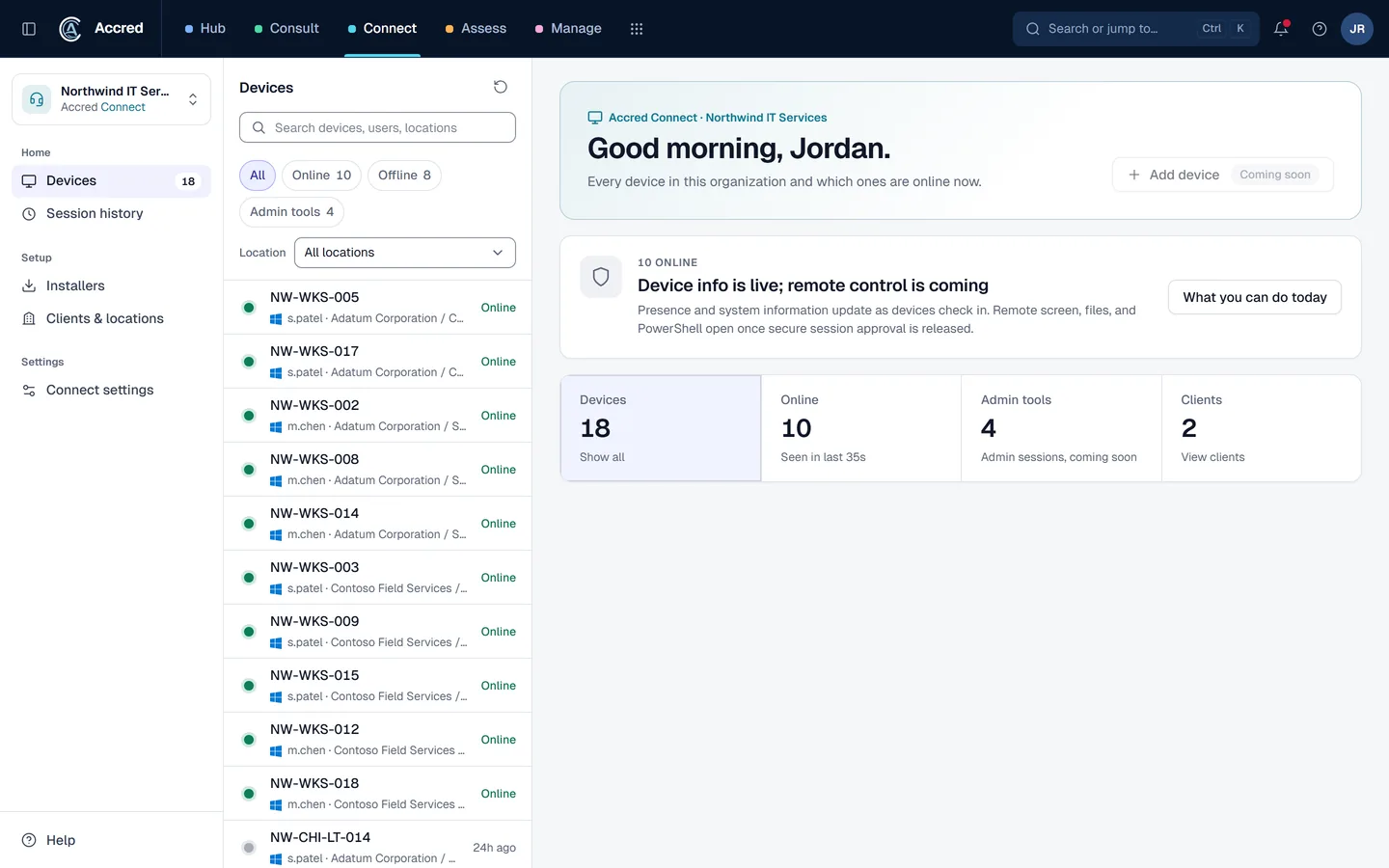
- Device inventory and presence: online status from signed device check-ins, last check-in, agent version, operating system and signed-in user.
- Clients and locations to organize devices.
- Roles and access: Owners and Admins manage devices and installers; other members view inventory.
Price and how to start
Accred Connect is free. Create your organization in Accred Hub or sign in, and an Owner or Admin turns Connect on. Every member can open it, with access that follows their Hub role. See the rest of the Accred apps for client delivery, migrations, backup and Intune device management.
Common questions
What is Accred Connect's patent-pending agentic IT support?
Accred Connect has patent-pending agentic IT support. It lets your AI assistant find a person's Windows PC, work out what is wrong, and fix it with a yes from the right people. Every step is logged.
Can the AI assistant approve its own fixes?
No. High-risk fixes wait for a technician to approve, and the assistant cannot approve. Many fixes can be undone in one step if they did not help.
How much does Accred Connect cost?
Accred Connect is free. An Owner or Admin turns it on in Accred Hub, and every member can open it with access that follows their Hub role.
Which computers does Accred Connect support?
Windows PCs. The Windows installer is not yet code-signed, so Windows shows an unknown-publisher warning during enrollment.
Which AI assistants work with Accred Connect?
Connect is part of Accred's MCP server, which works with Claude today and with other AI assistants that support remote MCP connectors with OAuth sign-in. People can also ask Accred IT help in Microsoft Teams or Slack.
Sources
- Accred Connect product page (accredproducts.com)
- Accred pricing (accredproducts.com)
- Accred suite overview and MCP server (accredproducts.com)